Workflows
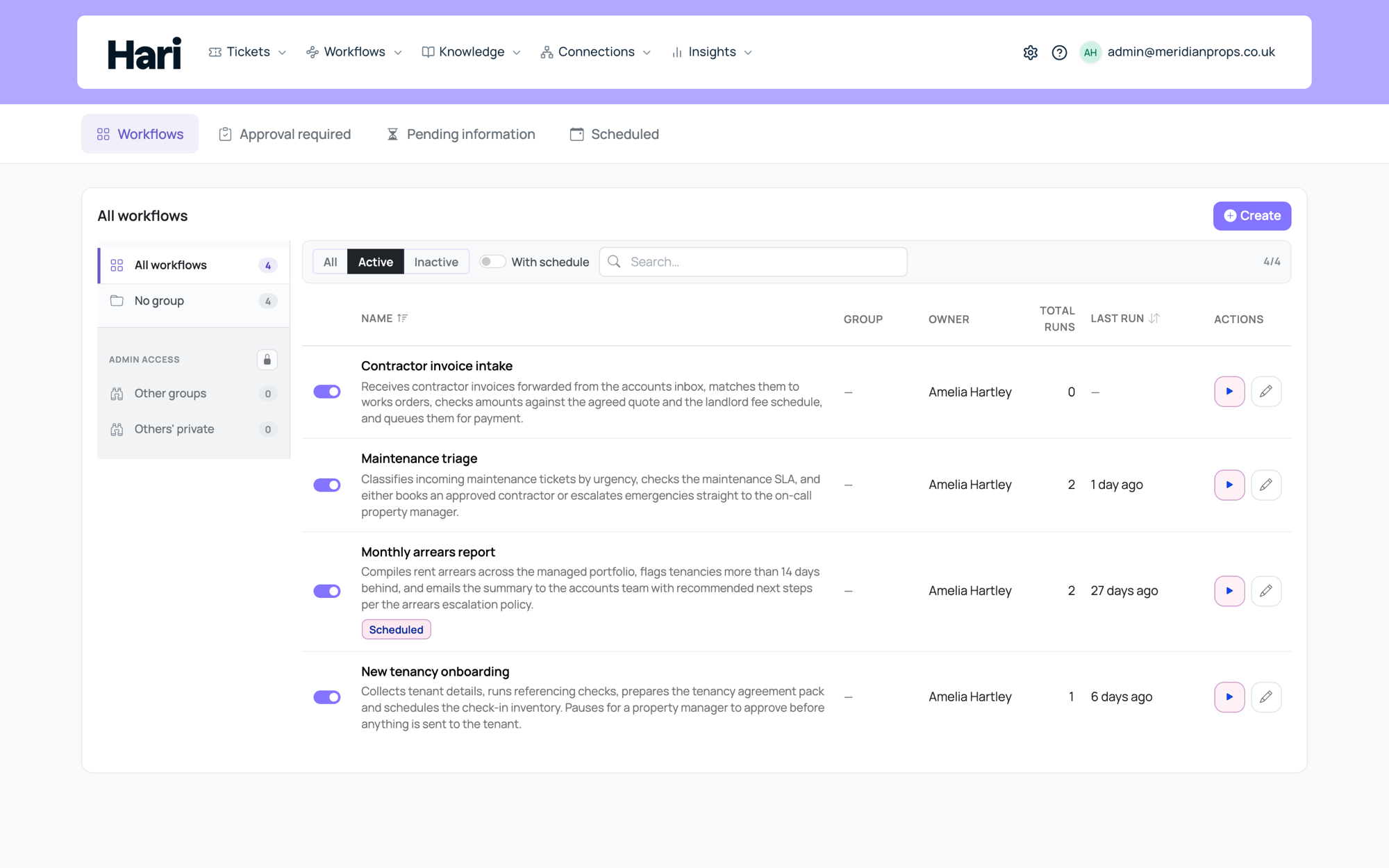
A workflow runs the same sequence of steps every time a trigger fires: an AI agent works through the task, pausing for human input only where a person is genuinely needed. It is how you turn a repeatable process into something Harriet runs for you.
Workflows versus chat
Chat is best for one-off questions grounded in your knowledge and tools. Reach for a workflow when you want repeatability, auditability, and a defined path: several people contacted in sequence, replies waited for before the next action, steps spanning multiple systems, and a record of what happened and when. A skill in chat answers the question in front of you; a workflow runs the whole process, the same way, every time.
A typical example: when a new invoice lands in your accounts-payable inbox, a workflow posts an initial reply, gathers missing details from the vendor, and opens an internal task for the finance team, with the same behavior on every run.
Configured for your organization
Workflows in Harriet are configured by your team. There are no locked-in templates, so you build exactly the process you need. Common shapes that teams set up most often include ticket-triggered triage, vendor onboarding checklists, invoice intake and arrears chasing, renewal reminders, compliance and deadline tracking, and gathering information from a specific person by direct message or email. Building a workflow requires the manage workflows permission, and the workflows capability must be on your plan.
How a run progresses
Every run starts with a trigger: a new ticket, a chat request, a schedule, or a webhook from an external system. The agent step then works through your plain-language instructions using the skills you assigned, pausing wherever it needs a reply, an approval, or time to pass, and resuming automatically when the wait completes. Where you can see it:
- Dashboard banner: the top of the Harriet dashboard shows workflows you can run directly.
- Chat: ask to run a workflow to see the ones enabled for your channel.
- Ticket: a run triggered by a ticket shows its progress on that ticket's timeline.
- Run history: with manage-workflows permission you can see all runs, in progress, complete, and failed, in the workflows admin section.
The building blocks
The four ways a workflow starts and what data each hands the run.
Plain-language instructions, assigned skills, and memory across pauses.
Reach out to a person, wait for their reply, and continue with a clean summary.
Human checkpoints and the waits that resume automatically.
Going further
How tickets trigger, host, and resume workflow runs.
Recurring reports, reminders, and compliance checks with no one pressing a button.
Layered design, sub-agent delegation, and testing before going live.
If a workflow you expect is missing from chat, ask your Harriet admin to check its skill and channel assignments. Chat-triggered workflows only appear on channels where an admin has enabled them.